
Checking your vehicle licence status before driving helps you confirm that your car documents are current, traceable and suitable for use on the road. In Nigeria, drivers often use the phrase vehicle licence to describe more than one document. It may refer to the motor vehicle licence, registration record, proof of ownership, roadworthiness certificate or related renewal details. These documents do not always have the same validity period or verification process.
A vehicle can look properly documented and still have an expired licence, an incorrect registration number or a renewal that has not been properly reflected in the relevant record. That is why you should not rely only on a paper receipt, an old sticker or a seller’s verbal assurance. A careful check combines the physical documents, the vehicle identity and the information shown by the appropriate government or authorised service channel.
This guide explains how to check your vehicle licence status before driving, what information you need, how to handle online portal problems and what to do when the result does not match your papers. It also explains the difference between vehicle documents and a driver’s licence, because confusing the two can lead to incomplete checks.
If you are reviewing several vehicle papers at once, start with a broader vehicle document validity check. It can help you compare the licence details with the registration record, proof of ownership and other documents before you take the car on a public road. vehicle document validity guide
What vehicle licence status actually means
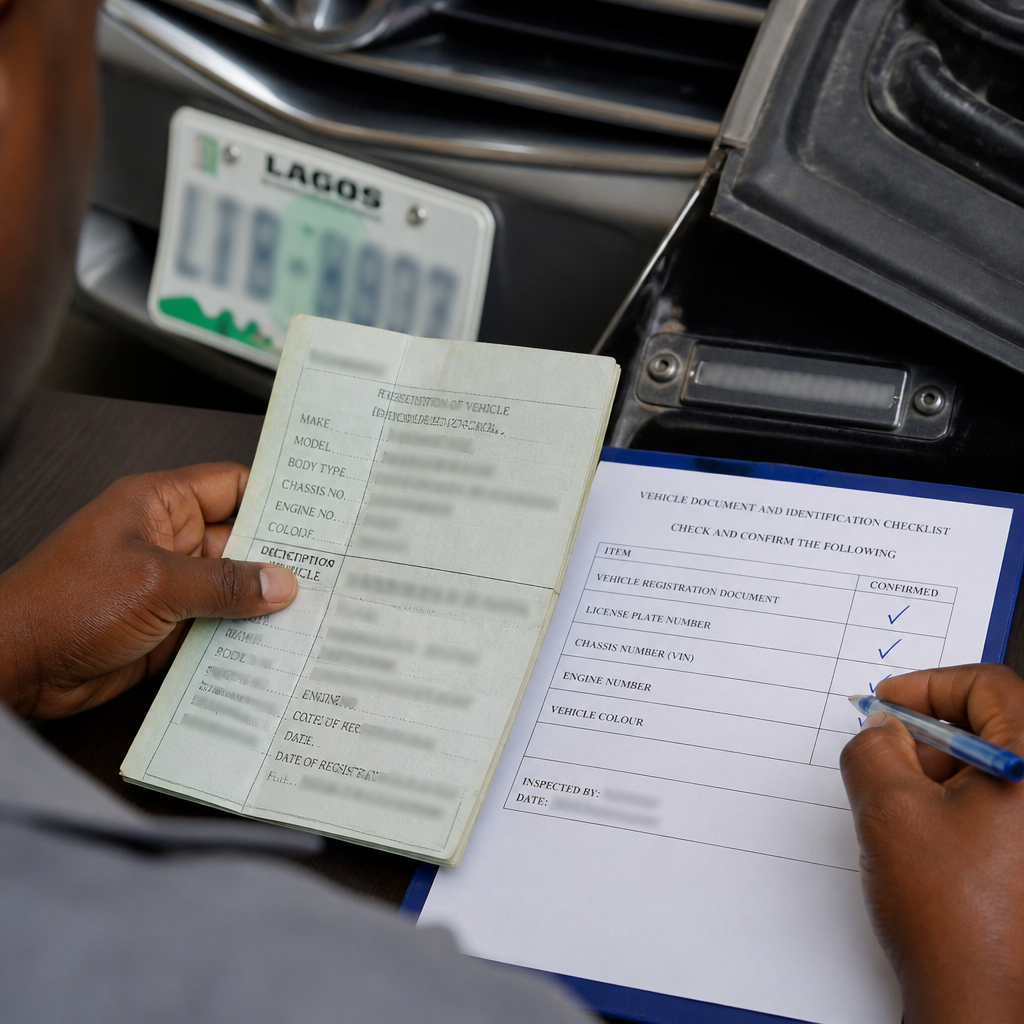
Vehicle licence status is the current position of a vehicle’s licensing record. In simple terms, the result should help you determine whether the vehicle has a valid licence for the period shown, whether the registration details match the car and whether a renewal or transaction still needs attention.
However, a licence status result does not necessarily confirm every legal or mechanical requirement. A vehicle may have a current motor vehicle licence but still require a separate roadworthiness inspection, insurance cover or ownership update. Similarly, a vehicle may have a valid roadworthiness certificate while its motor vehicle licence has expired.
Before checking, identify the exact document you want to verify. Common possibilities include:
- Motor vehicle licence: the licence connected with the use and registration of the vehicle.
- Vehicle registration record: information linking the registration number and vehicle identity to the official record.
- Roadworthiness certificate: evidence connected with the vehicle’s inspection and fitness for road use, where applicable.
- Proof of ownership: documentation showing the recognised ownership record or transfer history.
- Insurance certificate or policy: evidence of insurance, which is separate from the vehicle licence.
These records can be connected, but they are not interchangeable. A successful check of one does not automatically prove that all the others are current.
Documents and details to prepare before checking
Gather the documents before opening a portal or visiting an office. This reduces typing errors and makes it easier to resolve a mismatch. You may need the vehicle registration number, plate number, chassis or vehicle identification number, engine number, owner’s name and details from the most recent renewal document.
Use the exact characters shown on the official document. Pay attention to letters and numbers that are easy to confuse, such as the letter O and the number zero. Do not add spaces, dashes or prefixes unless the form specifically requests them.
You should also keep a clear image or physical copy of the following items:
- The current vehicle licence or renewal receipt.
- The vehicle registration document or proof of ownership.
- The plate number and any other identifying mark on the vehicle.
- The chassis or vehicle identification number, where available.
- A valid insurance document, if you are checking the complete compliance position.
- Payment evidence for a recent renewal or application.
If you recently bought the vehicle, do not assume the seller’s licence payment belongs to you or remains valid after a change in ownership. Confirm whether the ownership record has been updated and whether the licence details still correspond with the vehicle in your possession.
For a newly imported or recently cleared vehicle, licence verification should come after you review the customs and ownership documents. A registration number alone is not proof that the importation and ownership records are genuine. You can also learn how to identify suspicious documents in this guide to detecting fake vehicle papers in Nigeria. guide to detecting fake vehicle papers
How to check vehicle licence status online
Online checks can be convenient, but the correct process depends on the state and the document involved. Nigeria does not operate every vehicle-related service through one identical public page. Some services are provided through state motor vehicle administration systems, while other licensing or driver-related services use separate channels.
Step 1: Identify the issuing authority
Look at the document and identify the authority or state connected with the registration. The issuing state matters because vehicle registration and renewal services may be administered through state-level systems. A vehicle registered in one state may not appear in another state’s search system in the same way.
Use an official government website or an authorised service channel. Avoid links sent through unsolicited text messages, social media comments or unfamiliar payment pages. A page that copies official colours or logos may still be fraudulent.
Step 2: Open the verification or renewal section
Search the official website for a service labelled with wording such as vehicle verification, licence verification, vehicle registration, renewal or motor vehicle administration. Read the instructions before entering information. Some pages are intended for new applications, while others are for checking an existing record.
Do not assume that a driver’s licence search is the same as a vehicle licence search. Driver licensing concerns the person operating the vehicle. Vehicle licensing concerns the car or other vehicle. If you open the wrong service, the system may return no useful result even when the vehicle has valid documents.
Step 3: Enter the requested vehicle details
Enter the registration number exactly as it appears on the plate or document. If the system requests additional information, provide the chassis number, engine number or application reference carefully. Avoid using a seller’s suggested number if it differs from the document in your possession.
Review every field before submitting. One wrong character can produce a blank result, display another vehicle or make a valid record appear incomplete. If the portal has a captcha or security check, complete it only on the official page.
Step 4: Read the result carefully
A result may show a validity date, registration information, vehicle description, application status or a message requiring further action. Compare the result with the physical papers and the vehicle itself. Check the plate number, make, model, colour, chassis details and owner information where those fields are displayed.
Do not focus only on the word valid. A valid result attached to the wrong registration number is not a reliable confirmation for your vehicle. The identity details must also match.
Step 5: Save evidence of the check
Take a screenshot or download the confirmation if the service provides that option. Keep the transaction reference, payment receipt and date of the search. A saved result can help when you contact the issuing authority about an error or delayed update.
Still, a screenshot is not a substitute for the official document. Keep the original papers safely and carry the documents required for your circumstances. Also check whether the portal provides a verification code or another way for an authorised officer to confirm the result.
How to check vehicle licence status when the portal fails
An unsuccessful online search does not always mean that the vehicle is unlicensed. The portal may be temporarily unavailable, undergoing maintenance or unable to locate an older record. It may also reject a search because you entered a different format from the one used in the database.
First, check the registration number again. Remove unnecessary spaces if the form does not accept them. Then confirm that you selected the correct state, vehicle type or service category. If the document uses an older registration format, look for instructions about legacy records rather than repeatedly submitting the same search.
Next, try a normal technical troubleshooting process. Use a stable internet connection, update the browser, clear a form that has retained old information and avoid opening several payment pages at once. Do not pay again simply because the first page did not load. Check your bank notification and transaction reference first.
If the result remains unavailable, contact the relevant state motor vehicle office or authorised support channel. Provide the registration number, application reference, payment evidence and a short explanation of the problem. Do not send more personal information than the authority requires.
When visiting an office, take the original documents and a copy if possible. Explain whether you need a licence renewal, a correction, a record search, a transfer update or a confirmation of a previous payment. These are different requests, and clear wording can reduce delays.
How to compare the online result with your vehicle
The strongest check combines the digital record with a physical inspection. Start with the plate number. It should match the number on the licence or registration document and the number returned by the official search.
Then compare the vehicle description. The make, model, colour and body type should be broadly consistent. A minor description difference may need clarification, but a completely different vehicle is a serious warning sign.
Check the chassis or vehicle identification number where it is shown. The number on the vehicle should not appear altered, ground down, freshly stamped or covered by another plate. If the number is difficult to read, ask an appropriate authority or qualified professional to inspect it rather than guessing.
Compare the owner’s name and transfer information. A vehicle can have a current licence while the seller is not the recognised owner. That situation does not automatically prove fraud, but it means you should resolve the ownership position before buying or driving the car regularly.
If your vehicle was recently purchased, the safest approach is to check the transfer process separately. A vehicle ownership transfer guide can help you understand the documents and steps commonly involved, but always confirm the current requirements with the responsible authority. vehicle ownership transfer guide
Look for signs that someone replaced a page, altered a date or attached a receipt to another vehicle. Warning signs include inconsistent fonts, mismatched registration numbers, spelling differences across documents and dates that do not follow the transaction history.
What to do if your vehicle licence has expired
Do not continue driving as though an expired document were current. Confirm the expiry date and begin the renewal process through the responsible authority or an authorised channel. Requirements may vary according to the state, vehicle class and type of document.
Keep evidence of the renewal application and payment. However, payment alone may not mean that the licence is immediately active. Wait for the official confirmation or updated record, and ask the issuing office what document proves that the renewal has been completed.
If you discover the expiry while away from home, avoid relying on informal advice from another driver. Contact the relevant authority and ask what lawful next step applies. The answer may depend on the document, the location and whether the vehicle is being used privately or commercially.
For a detailed explanation of the practical steps after an expiry, see this guide on what to do when a vehicle licence expires in Nigeria. what to do after a vehicle licence expires
Do not backdate a document, alter a receipt or use another vehicle’s papers. Those actions can create more serious problems than the original expiry and may make it difficult to correct the official record later.
Vehicle licence, roadworthiness and insurance: know the difference
Many drivers ask for one check when they actually need a complete compliance review. Vehicle licensing, roadworthiness and insurance serve different purposes. Treat each one as a separate item on your checklist.
Vehicle licence or registration renewal
This relates to the vehicle’s licensing and registration record. The document usually contains identifying information, a validity period or transaction details. Confirm that it belongs to the vehicle you are driving.
Roadworthiness
Roadworthiness concerns the condition and inspection status of the vehicle. A licence record does not prove that the brakes, tyres, lights, steering, suspension and other safety-related components are fit. Follow the applicable inspection process for your vehicle and location.
Insurance
Insurance is a separate legal and financial protection document. Check the policy details, vehicle registration number, period of cover and insurer information. Do not assume that a vehicle licence renewal includes insurance unless the official transaction clearly states so.
Driver’s licence
The driver’s licence belongs to the person driving. It does not replace the vehicle’s licence or registration papers. A driver may have a valid driver’s licence and still be operating a vehicle with expired or mismatched documents.
For renewal planning, it is useful to separate these tasks into a simple table: vehicle licence, roadworthiness, insurance and driver’s licence. Write down the expiry date for each item and set reminders well before the earliest date.
Common reasons a vehicle licence result looks wrong
A mismatch can happen for innocent reasons, but it should never be ignored. Common causes include an incorrect registration number, a delayed database update, a recent change of ownership, a payment that has not been posted, an old record format or a document issued through a channel that is not connected to the search page.
Another possibility is that the document itself is not genuine. This risk is higher when a seller offers only a photocopy, refuses to provide the original, pressures you to pay quickly or claims that verification is unnecessary because the car has been on the road for years.
Use a simple three-way comparison:
- Compare the physical document with the vehicle plate and identification numbers.
- Compare the physical document with the official online result, if available.
- Compare the seller or owner details with the ownership and transfer documents.
If one part fails, pause the transaction or driving plan until you understand why. Do not try multiple unofficial websites hoping that one will produce a favourable answer.
For used-car buyers, licensing is only one part of due diligence. You should also confirm the VIN, ownership history, accident condition, mileage and import documents. A vehicle with a current licence may still have serious mechanical or legal issues.
Red flags that require extra caution
- The registration number on the vehicle differs from the number on the licence.
- The make, model, colour or chassis information does not match.
- The seller says the online system is wrong but refuses to visit the responsible office.
- The document has overwritten dates, unusual formatting or missing security features.
- The payment receipt has no clear reference or appears to belong to another applicant.
- The vehicle’s identity number is damaged, altered or difficult to locate.
- The owner’s name differs and there is no credible transfer documentation.
- You are directed to pay through a personal account or an unfamiliar link.
- The search result shows a different vehicle or no record at all.
- You are pressured to drive immediately because the seller claims the papers will be corrected later.
One red flag may be an administrative error. Several red flags together deserve a full stop. Seek confirmation from the relevant authority and, when buying, consider independent legal or professional advice before making payment.
How to renew or correct a vehicle record responsibly
When your check identifies an expiry, error or missing update, write down the exact problem. For example, “payment made but status not updated” is more useful than “the licence is not working.” Include the date of payment, reference number and the document number.
Use the official correction or support process. Ask whether you need to submit an affidavit, transfer document, identification document, inspection report, payment receipt or other evidence. Requirements can change, so confirm the current list rather than relying on an old checklist from another person.
Make copies of everything submitted. Record the office, service channel, date and name or reference of the receiving desk where available. Keep communication professional and avoid handing over original documents without a clear receipt.
If an agent assists you, remain responsible for checking the final result. An agent’s receipt does not prove that the record was updated. Request the official confirmation and compare it with the vehicle before driving.
Where the issue involves a possible fake document, do not confront anyone aggressively or destroy the paper. Preserve the document, transaction messages and payment evidence. Report the concern through an appropriate official channel.
A practical checklist before you drive
Use this checklist whenever you begin driving a vehicle, borrow someone else’s car or complete a purchase:
- Confirm the vehicle’s registration number.
- Check the motor vehicle licence validity period.
- Confirm that the licence details match the plate and vehicle identity.
- Check the roadworthiness position where applicable.
- Confirm that the insurance document is current and belongs to the vehicle.
- Review proof of ownership and transfer records if the vehicle changed hands.
- Check for outstanding corrections, payment delays or office instructions.
- Save official confirmations and keep required documents accessible.
- Inspect basic safety items, including tyres, lights, brakes and mirrors.
- Do not drive if a serious document or safety issue remains unresolved.
For fleet owners, add the registration number, document type, issue date, expiry date, renewal reference and responsible staff member to a tracking sheet. Review it monthly. A simple reminder system can prevent several vehicles from expiring at the same time.
Special advice for buyers of used vehicles
Ask to see the original vehicle documents before paying a deposit. Take photographs only with permission, and compare the information with the physical vehicle. If the seller says the original is with a bank, agent or previous owner, treat that as an unresolved documentation issue.
Do not accept a licence check performed only on the seller’s phone. Conduct your own search or attend the responsible office with the seller. This reduces the risk of seeing a cropped screenshot, an altered page or a search for a different vehicle.
Include document verification in the purchase agreement. The agreement should identify the vehicle, the parties, the agreed price, the documents delivered and any outstanding correction or transfer obligation. Do not assume that a verbal promise will be easy to enforce.
Also inspect the car mechanically. Licence status cannot tell you whether the vehicle has flood damage, hidden accident repairs, tampered mileage or expensive engine faults. Arrange an independent inspection before completing payment.
If the vehicle is imported, ask for the relevant customs and ownership papers. A current licence does not erase questions about the source of the vehicle or the accuracy of the importation documents.
How to avoid losing your licence records
Create a digital folder for each vehicle. Store scans of the licence, ownership document, insurance, roadworthiness evidence, payment receipts and official confirmations. Use clear filenames that include the vehicle registration number and document type.
Keep a second backup in a secure location. Protect personal information, especially identification numbers, addresses and payment records. Do not publish full vehicle documents on social media or send them to strangers who promise a quick verification.
Set calendar reminders at least several weeks before each expiry date. Use separate reminders for the motor vehicle licence, insurance, roadworthiness and driver’s licence. This is more reliable than keeping one reminder labelled “car papers.”
When a vehicle changes ownership, update your records immediately. Remove the previous owner’s copies from routine use and keep evidence of the transfer. Make sure the next renewal uses the correct owner and vehicle information.
Frequently asked questions
Can I check vehicle licence status with only the plate number?
Some verification services may begin with the registration or plate number, while others request additional details. Use the information requested by the official service. If the system asks for a chassis number or reference, do not substitute unrelated information.
Does a valid vehicle licence prove that the car is fully legal to drive?
No. You may still need current roadworthiness evidence, insurance and other documents. The driver must also hold the appropriate driver’s licence. Check each requirement separately.
What if the online result does not match my paper?
Stop and investigate the mismatch. Recheck your entry, confirm the issuing state and review the payment reference. If the mismatch continues, contact the relevant authority with the original document and evidence of payment.
Can I drive while a renewal is being processed?
Do not assume that an application receipt automatically authorises continued driving. Ask the issuing authority what proof or temporary document applies to your situation. The answer may depend on the document and the local process.
Is a seller’s screenshot enough when buying a car?
No. A screenshot can be incomplete, outdated or altered. Perform an independent check using the official service and compare the result with the vehicle and original documents.
What should I do if I suspect fake vehicle documents?
Do not alter, discard or rely on the documents. Keep the transaction evidence and request confirmation from the appropriate authority. If necessary, seek professional legal advice or report the matter through an official enforcement channel.
How often should I check my vehicle records?
Check before driving a newly purchased or borrowed vehicle, before long trips and before each renewal. A monthly review is sensible for businesses or households managing several vehicles.
Final takeaway
Checking your vehicle licence status is a small task that can prevent avoidable delays, failed transactions and problems during roadside checks. Start with the correct issuing authority, use accurate vehicle details and compare the online result with the physical car and documents.
Remember that licence status is only one part of responsible vehicle use. Confirm roadworthiness, insurance, ownership and driver licensing separately. When the records do not match, pause before driving and resolve the issue through an official channel.
For renewal planning, keep copies, save payment references and set reminders before expiry. These habits make it easier to prove what you paid for and identify an error before it becomes urgent.